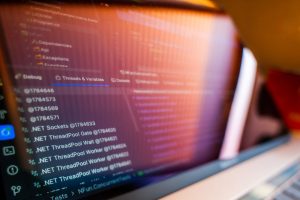
Before you post a terminal screenshot, look beyond the command you meant to share. A username, project directory, browser tab, or notification in the frame could connect a pseudonymous developer profile to a personal account. Deleting the post later will not remove copies others have saved. Checking the whole image is a practical way to manage your digital footprint: notice what you are leaving behind and what someone could infer from it.
What counts as a digital footprint?
Your digital footprint is the information associated with your activity across websites, apps, devices, and accounts. Some of it is intentional, such as a public portfolio, forum answer, social post, or code repository. Other traces arise as a by-product of using a service: login history, device identifiers, approximate location derived from an IP address, or interactions the service records. A public post and a service-side activity log create different kinds of exposure. You can usually edit or remove the post from your account, but you may have less visibility into or control over the log.
Neither type of trace is automatically harmful. A portfolio helps people find your work; account activity records can help you spot an unfamiliar login. The useful questions are what purpose a detail serves, who can see it, and how easily it can be connected to other information about you.
Imagine a public coding profile showing a real name, a personal email address in an old commit, and a project README naming a school or employer. Each detail may seem harmless on its own. Together, they could identify the person behind a username and give someone a way to contact them outside the platform. Managing a footprint often means breaking connections you do not need, not trying to disappear from the internet.
Start with an audit you can repeat
Give your audit a boundary: review accounts and material you own or are authorized to manage. There is no need to probe anyone else's accounts or systems. Start with the names, usernames, email addresses, and profile photos you commonly publish. Search for public appearances of those identifiers, including spelling variations, and look at the results as a visitor rather than while signed in. A private browsing window can help, though results may still vary by location and personalization.
Make a small exposure inventory
For each finding, note where it appears, who can see it, and what you can do about it. A table keeps the audit from turning into an open-ended search:
| Finding | Visibility and concern | Next action |
|---|---|---|
| Old public profile with a personal email | Anyone can associate the address with a username | Change the displayed address or close the account |
| Public project screenshot | A path or notification identifies another account | Replace the screenshot after checking the whole frame |
| Private account with public tagged posts | Other people's posts remain visible | Review tags and request removal where appropriate |
Deal first with findings that reveal a home address, phone number, personal email, precise routine, or account-recovery information. Then check older material: forgotten biographies, forum signatures, event registrations, shared documents, and comments under a handle you have used for years. Search results are leads, not a complete inventory. Private groups, cached copies, and content inside apps may not appear there.
Check the view from outside your account
Privacy controls are easy to misread. Open your profile while signed out, use the platform's public-view feature if it has one, or ask a trusted person what they can see. Check profile fields, past posts, follower or contact lists, tagged content, and activity indicators separately. Making new posts private may leave older posts and a public biography unchanged.
Understand how small details become identifying
Footprint risk often comes from aggregation. A city in one profile, a conference badge in a photo, and regular posting times on another account may say more together than any one detail does alone. Reusing an unusual handle and avatar across personal, professional, and hobby communities makes those connections easier. Separate identities can still be linked through writing style, shared images, or details you volunteer. Separation reduces casual association; it does not guarantee anonymity.
Check photos with both the visible scene and the uploaded file in mind. A badge, street sign, reflection, laptop screen, or document on a desk may give away more than you intended. File metadata may also include location, depending on the device and how the service handles uploads. Removing location data helps, but it cannot remove a recognizable landmark from the image. A screenshot can expose tabs or notifications even when it carries no location metadata.
Timing changes what a detail reveals. Posting that you are away from home while a trip is underway gives more current information than sharing a general account afterward. A precise location tag can show where you are; repeated tags may suggest a routine. If the detail is not needed, leaving it out is simpler than trying to control every copy later.
Reduce exposure at the account level
Start with the accounts you use most. Settings differ by service, but check audience, discoverability, connected apps, and recovery options.
- Limit public profile fields. Remove contact details, birth dates, workplace information, or location fields that do not need to be public. A service may need a detail without displaying it to everyone.
- Review post and tag audiences. Check defaults for future posts, older posts, mentions, tags, and whether others can add you to public content without approval.
- Restrict discoverability where useful. Some services let you control whether people can find your account through a phone number or email address. This reduces casual discovery but does not erase an address published elsewhere.
- Remove unused connections. Review apps and integrations you previously authorized. Revoke access you no longer need, especially when an app can read profile details, contacts, or stored files.
- Close accounts you will not maintain. Save anything you need first, then follow the service's closure process. Deleting an app from your device does not necessarily close its account.
Use contact details according to their purpose. A public project may need a reachable address, but it need not be the one you use for personal correspondence or sensitive account recovery. Keep recovery information current and private. Use a unique password and, where available, an appropriate additional sign-in factor. These help prevent account takeover; they do not change who can see what you publish. Before changing an address on an important account, make sure you can still receive recovery messages.

Developer footprints need their own review
Publishing code is a useful way to show progress, ask for help, and collaborate. It also leaves traces beyond the files you meant to share. Commits can contain an author name and email address, and old commits may remain visible after you update your profile. Notes, configuration examples, screenshots, issue comments, and branch names can also be public. Inspect the repository itself, not just its homepage.
Before sharing a project, check error messages for personal paths, terminal output for usernames, and sample files for real addresses or tokens. Use fictional values in documentation and examples. If a secret was committed, deleting it in a later commit does not make the old value safe: revoke or rotate the credential through the relevant service. Speak with project maintainers before changing shared history. Rewriting it can disrupt collaborators and cannot guarantee that existing copies disappear.
When asking for debugging help, share the smallest excerpt that shows the problem. Redact private data without removing the technical structure needed to understand the error. A database connection failure, for example, can usually be shown with a placeholder hostname instead of a real system's address. Inspect the whole log excerpt before posting: request identifiers, user data, or access tokens may appear beyond the line you meant to share.
Public activity has a social side, too. If you find a weakness in an authorized lab or your own project, do not post real users' data or disclose it without coordination. Use the project's stated reporting route if one exists. You can document what you learned without exposing affected people.
Know what removal can and cannot do
Editing a post, making an account private, and deleting an account address different problems. An edit corrects a visible detail at its source. A privacy change restricts future access on that service. Deletion may remove content from the account interface, but copies can remain in screenshots, shared files, search indexes, or other people's posts. Service retention policies may apply to account data as well. A successful deletion message does not mean every copy is gone.
For unwanted information, start at the source: remove your own post or ask the person or service controlling the page to change it. If a search result still shows outdated information, check the search provider's process for refreshing or removing an obsolete result. That changes the listing, not necessarily the original page. For impersonation, threats, or exposure of sensitive personal information, preserve relevant evidence and use the platform's reporting channels. Legal remedies and eligibility for removal vary by location.
Turn awareness into a publishing habit
A quick check before publishing catches details that account settings cannot. Before posting a photo, code sample, document, or screenshot, ask:
- Audience: Will the intended group see this, or can anyone who finds the account see it?
- Context: What could someone infer by combining it with your existing public profiles?
- Contents: Does the file contain names, location clues, notifications, metadata, credentials, or private messages?
- Lifetime: Would you still be comfortable with the detail if someone saved a copy and saw it later?
Do not assume a blur or crop worked without checking the exported file. View the final version at full size, including its edges, background, and file name. For a terminal screenshot, hide notifications temporarily, use a test account or fictional path where practical, and make sure the image shows only the lines needed to explain the issue.
Set a calendar reminder to revisit public profiles and connected apps, particularly after changing jobs, joining a project, or opening a new account. For the first review, choose a coding handle you use often. Check its public profile, one older post, and one shared screenshot. If you find a detail you no longer want public, you have a concrete first change to make.