A beginner following a tutorial on checking open ports may stop at “listening service” if the term is never explained. A brief definition and a link to a focused explanation let the reader continue without turning the tutorial into a networking primer. That is the practical value of internal linking: one page helps someone understand another.
Links can also help visitors find related guides and help search engines discover pages. Neither benefit comes from adding links everywhere. On a technical blog, a link earns its place when it answers a likely follow-up question, explains a prerequisite, or gives needed context for a claim.
Start with the reader’s next question
First, be clear about what the page is meant to help readers do. A Java development kit installation guide should stay focused on installation. If the terminal cannot find java, though, an explanation of environment variables could help a beginner understand why. A post about choosing a laptop may appeal to the same audience, but it does not solve that problem.
Most useful links in a beginner-focused technical library serve one of three purposes:
- Prerequisite: The destination explains something needed for the current page, such as file permissions before a Linux configuration exercise.
- Next step: It builds on a completed task, such as interpreting a diagnostic result after learning how to collect it.
- Specific example: It examines one case in detail while the current page explains a broader principle.
These links can run in either direction. A beginner guide can point to missing background; a foundational guide can point to an exercise for readers ready to apply it. In either case, say why the link is there. If the next page is substantially more advanced, warn readers before sending them there.
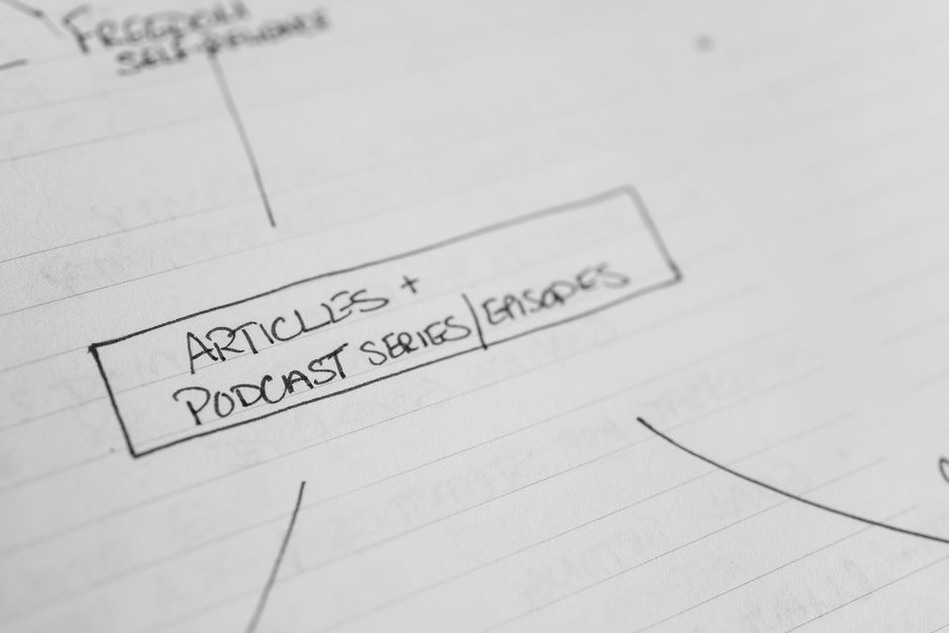
Make a small map before editing pages
A spreadsheet or document is enough to plan an initial set of links. List a few existing articles, then note each page’s main task, the knowledge it assumes, and the page that would naturally come before or after it. This makes it easier to spot useful connections without linking every article in a category to every other article.
| Current page | Likely reader need | Useful destination |
|---|---|---|
| Setting up a Java IDE | Understand what the JDK does | A focused JDK explanation |
| Linux file permissions primer | Practice reading permission output | A beginner exercise using test files |
| Home network troubleshooting | Understand an unfamiliar term | A concise guide to IP addresses and gateways |
The table shows relationships to look for, not pages to invent. Before adding a link, read the proposed destination. Does it answer the question implied by the source sentence? Is it suitable for that reader, and is it current enough for the task? If not, leave the sentence unlinked. A category page will rarely help someone who needs a specific explanation.
Choose pages with a clear job
Broad orientation pages and narrow task pages serve different needs. A Linux basics overview might link to guides on permissions, processes, and package management as each subject comes up. A permissions guide might point back to the overview if it assumes concepts explained there. Neither needs a block of links just to advertise the rest of the site.
Some useful articles are hard to reach through normal browsing. If a relevant guide never points to one, find a passage where it would genuinely help as a next step. Do not insert a link merely to bring traffic to a neglected page; readers will notice a detour that does not answer their question.
Write anchor text that sets an accurate expectation
Anchor text is the clickable wording. It should describe the destination, including for someone hearing links read out of context by a screen reader. “Click here” says little; linking a whole paragraph makes it hard to tell what the destination covers. A short phrase naming the concept or task usually works better.
Suppose a guide to evaluating a mobile device’s software support mentions how a platform change affects update responsibilities. A link to Nokia’s Android experiment and its security lessons for developers presents a specific case. It does not suggest that the destination is a general Android security manual. The wording should reflect what the page contains, not what you wish it contained.
Avoid making every anchor repeat the same exact phrase. “Linux permissions,” “how file permissions work,” and “reading permission bits” might each fit a different sentence, as long as the destination supports the wording. Write for the reader, not for a repeated keyword.
Give the link a reason to be there
“Read our file permissions guide” gives little context. “If the chmod example is unfamiliar, first check how Linux file permissions represent read, write, and execute access” identifies the obstacle and tells readers what they will learn. Anyone who already knows the concept can keep going.
Link near the first point where the explanation would help; later mentions usually do not need the same link. If one paragraph seems to need links for several unfamiliar terms, consider explaining some of them in place rather than sending beginners on three detours.
Keep technical and safety context intact
A link cannot fix a misleading instruction. If a network diagnostic guide describes tests that belong only on systems you own or are authorized to assess, state that limit beside the relevant step. Do not expect readers to follow a separate safety link before acting. Links can add background, but essential safeguards need to be on the page.
Check the destination’s terminology and assumptions, too. A beginner page that introduces the terminal should not quietly send readers to a guide that assumes shell scripting knowledge. A local-lab exercise should not imply that the same procedure is appropriate on an external system. If the linked page changes the skill level or setting, make that clear in the linking sentence.
Add links while drafting, then review older pages
While drafting, you can usually see where a beginner might get stuck. Mark possible prerequisites and next steps there, then check each destination before publishing. A URL that loads is not enough: read the target page to confirm its title, instructions, and scope still match your sentence.
A new guide can also make an older post more useful. Search existing articles for mentions of its topic that lack an explanation. An older introduction may now have a natural next step, though you may need to rewrite a sentence so the connection makes sense. Add the link only where it fits.
- Pick one published page and name the task it helps a reader complete.
- Mark two or three places where background knowledge or a next step would help.
- Check whether an existing page answers each need directly.
- Add descriptive anchor text in a sentence that explains the connection.
- Open each link and check the destination on a phone-sized screen and a desktop.
That last check catches more than broken addresses. Links packed closely together can be hard to tap on a phone, while an overly long linked phrase can distract from an instruction. On either screen, readers should be able to tell why the link appears and what they will find.
Use signals carefully when reviewing results
Internal links do not guarantee better rankings or make visitors follow a set path. Search engines can use them to discover pages and understand how those pages relate, but many other factors affect search results. Treat links as part of clear navigation and good content, not as a shortcut to predictable rankings.
If you have analytics, check whether readers move from an introduction to a related guide and whether a newly linked page gets visits from relevant articles. Also look for signs that people still leave a tutorial at a confusing step. Few clicks do not necessarily mean a link has failed: readers may already know the prerequisite, or the sentence itself may answer their question.
Recheck links when you substantially revise a page or retire an old guide. A redirect may still load but lead to a broader page that no longer answers the question your anchor promises. Change the wording, choose a better destination, or remove the link. On a small site, start by opening links in a few high-traffic tutorials. On a larger one, a link-checking tool can flag broken paths, but someone still needs to judge whether the surviving destinations fit.
For a first pass, find a tutorial that uses an unexplained term in its opening steps. Define it briefly, then link the term if a focused explanation already exists. Follow the link yourself: does the first screen answer the question that sent the reader there?